Speed Dial for the Pebble watch

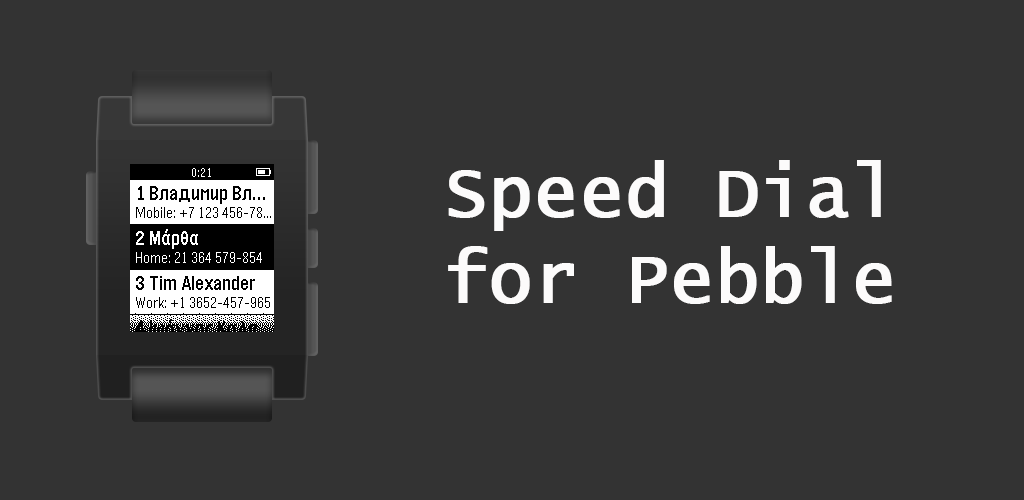
I just published my first Pebble app. It’s a simple speed dialer, the watch initiates a call on the phone. The contacts are preselected via the phone companion app.

Untitled-2

Give it a try. Search for “Speed dial” on your Pebble-connected Android device, or follow this link: http://apps.getpebble.com/en_US/application/5626ae103b5b31492e00008a

Приложение «Апологетика: неоязычество»

device-2015-08-31-110144
18 сентября на VIII Межправославной встрече по изучению религий и деструктивных культов, проходящей в Словении, священник Георгий Максимов провел презентацию уникального апологетического приложения для смартфонов и планшетов.

Оно представляет собой подборку материалов, посвященных не только самому феномену неоязычества, но и опровержению расхожих утверждений неоязычников. Материалы распределены по рубрикам: «Мифы неоязычников о христианстве», «Крещение Руси», «Древнее язычество», «Неоязычество (родноверие)», «Что неоязычество дало России?» и «Рассказы бывших неоязычников».

Приложение будет полезным не только для православных миссионеров, но и для более широкого круга людей, интересующихся упомянутыми вопросами.

Приложение разработано Православным миссионерским обществом имени прп. Серапиона Кожеозерского.

Можно бесплатно скачать и установить по следующим ссылкам:

Для устройств на android’е: https://play.google.com/store/apps/details?id=eir.neoyaz
Для устройств Apple (iPhone/iPad): https://itunes.apple.com/WebObjects/MZStore.woa/wa/viewSoftware?id=1038143218&mt=8
Для устройств Windows Phone: http://www.windowsphone.com/mk-mk/store/app/neoyaz/931b1ea9-77b5-41e1-b16d-25efd68aa3d0
Для устройств на платформе Firefox OS: https://marketplace.firefox.com/app/neoyaz/

Audiometer for Samsung Gear

The Audiometer app is now available for Samsung Galaxy Gear watches as well.

As reminder, the Audiometer uses the microphone of your phone / tablet to measure the sound level, and display the result on your watch.

Besides the actual sound level, the maximal and the average sound levels are displayed at any time.

Of course, this values cannot be taken for granted, hence the disclaimer: the results may be different than what a professional Sound Meter device would measure.

Get the app from the Google Play store:
Get the app from Google Play!

Orthodox Menologion

Very happy to introduce the app I’ve been working on this Summer.

It’s an upgrade of the Orthodox Calendar app, in the sense that it contains all the icons and lives of saints (or feasts descriptions), a total of 3.290 texts and over 2.000 icons. Like the Orthodox Calendar app, this one too does not require Internet connection to work, allowing you to read your daily spiritual nourishment at any place and at any time.

It contains notes about the periods of the liturgical year and the fasting dates, but you are warmly advised to not rely only on those notes, but to rather speak to your priest about fasting details.

The app is fully in Russian, and is currently available for Android and BlackBerry 10 devices, with support for more platforms on the way!

screenshot-01iphone4 screenshot-02iphone4

The app uses contents from the renowned Azbyka.ru portal, as well as from the “From Pascha to Pascha” calendar by the St Maximus the Greek fund.

The app is free, get it today!

Orthodox Menologion, free at Google Play!

Orthodox Menologion for iPad, free on the App Store!

Orthodox Menologion, free at the Windows Phone Marketplace

Orthodox Menologion, free at BlackBerry World!

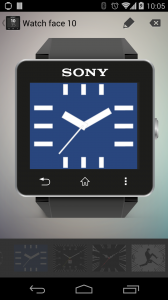
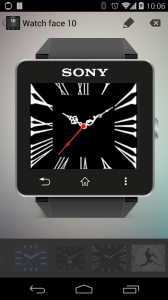
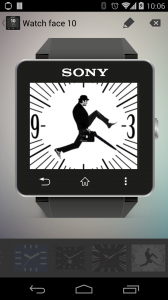
Digital Watch Faces for your SmartWatch 2

Because you have to be cool with your SmartWatch 2 when going out 🙂

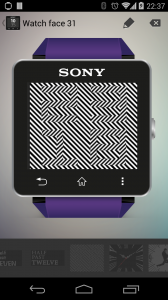
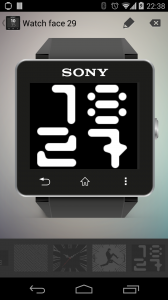
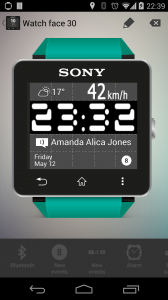
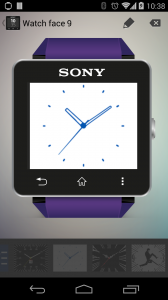
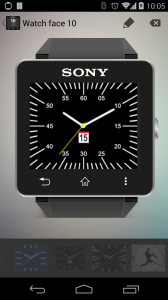
Five faces in total, two of those don’t occupy the full screen, leaving you plenty of space for widgets. The other faces are just meant to make your SmartWatch 2 even fancier than it already is.

Digital Watch Faces Digital Watch Faces Digital Watch Faces Digital Watch Faces Digital Watch Faces

Get the app from the Google Play store:
Get the app from Google Play!

Fuzzy clock for SmartWatch 2

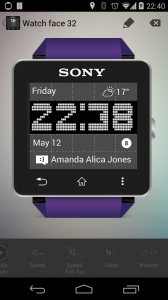
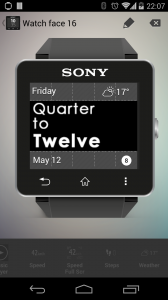
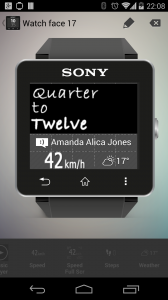
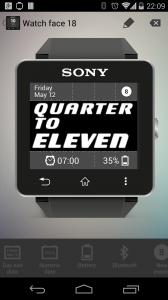
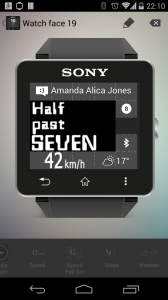
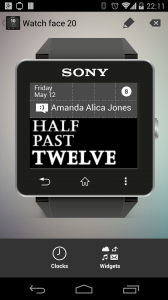
First for the Sony SmartWatch 2: fuzzy clock (fuzzy as in fuzzy logic)! The difference between a fuzzy clock and a textual clock is that while the textual clock just translates the hours and the minutes to text, the fuzzy clock translates time into a more colloquial form. For example, a textual clock would read 15:47 as “Fifteen forty-seven”, while a fuzzy clock for the same time would say: “Quarter to four”.

These watch-faces don’t occupy the full screen of your SmartWatch, giving you the space to place other widgets and clocks on the screen.

Here are the five fuzzy clock watch faces available in the app, and the link to the app itself is at the very bottom.

Fuzzy clock Fuzzy clock Fuzzy clock Fuzzy clock Fuzzy clock

Get the app from the Google Play store now:
Get the app from Google Play!

Widgets for Speedometer for the Sony SmartWatch 2

The Sony SmartWatch 2 has the really cool feature of watchface widgets – meaning you can place any information on the screen, which is visible all the time, and since the screen is not illuminated most of the time, the battery life is preserved quite a bit.

The Speedometer app takes advantage of this SmartWatch 2 novelty and now displays the data in two kind of widgets:
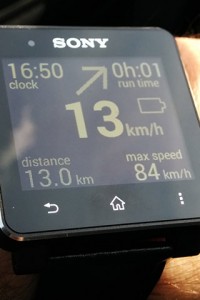
1) The full speedometer widget – which displays the same data as the app itself, and is therefore taking all the space of the screen.

Full speedometer widget, displays all data and takes up the whole screen area.

2) The speed widget – which displays only the current speed data, and therefore takes only a tiny portion of the screen, leaving it up to you to decide how to fill the rest of the screen area.

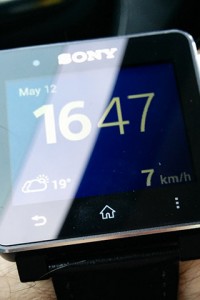
The minimal widget - displays only the current speed (bottom right corner), leaving it up to you to fill up the rest of the screen with the information you prefer.
The minimal widget – displays only the current speed (bottom right corner), leaving it up to you to fill up the rest of the screen with the information you prefer.

Get the app from the Google Play store now:
Get the app from Google Play!