

Fast Dialer has a successor: Corporate Dialer, a fast phone app and a company directory in one. It brings together the two apps that have existed for many years, Fast Dialer and Corporate Contacts, rewritten for today’s Android. As always: no ads and no internet access. Your contacts and calls stay on your phone.
Key features
The new app includes all features from Fast Dialer (Eir Fast Dialer) and Corporate Contacts, and expands on them.
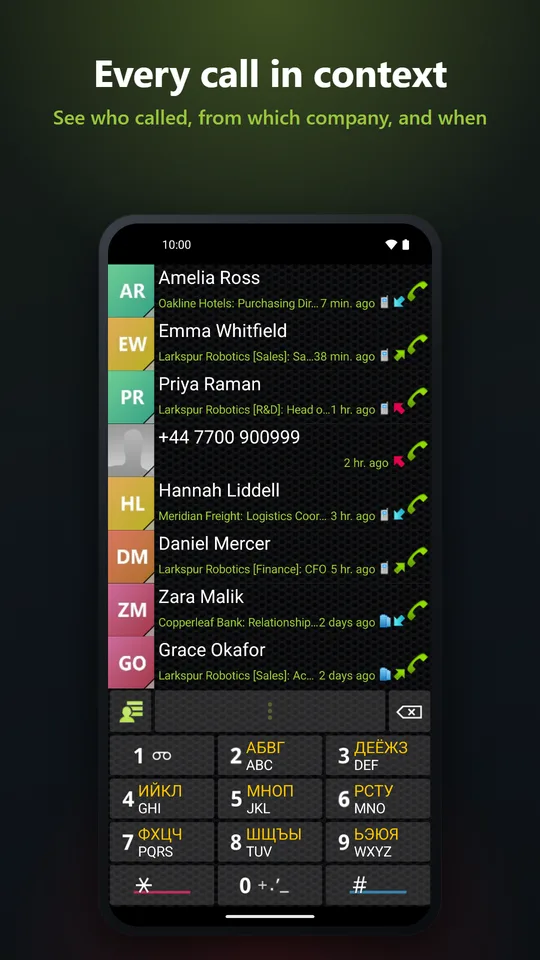
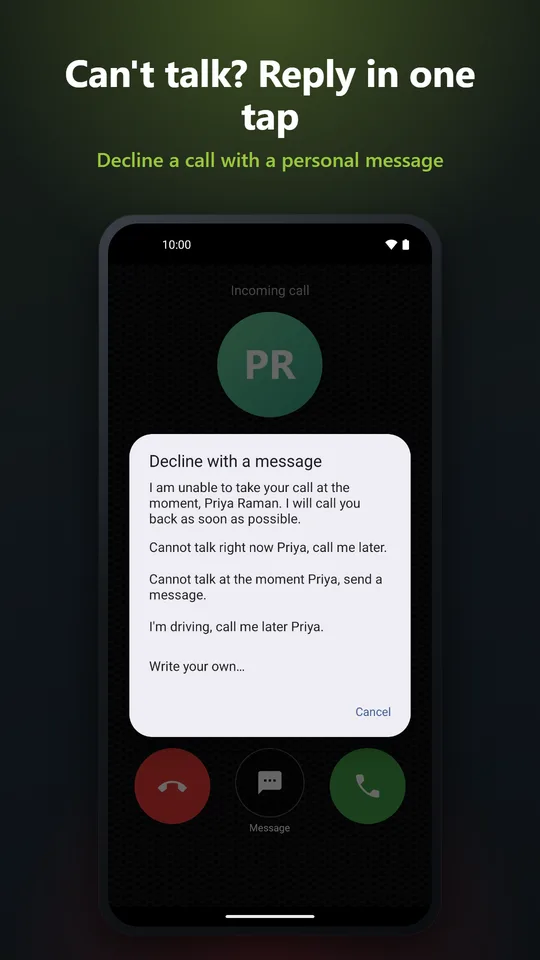
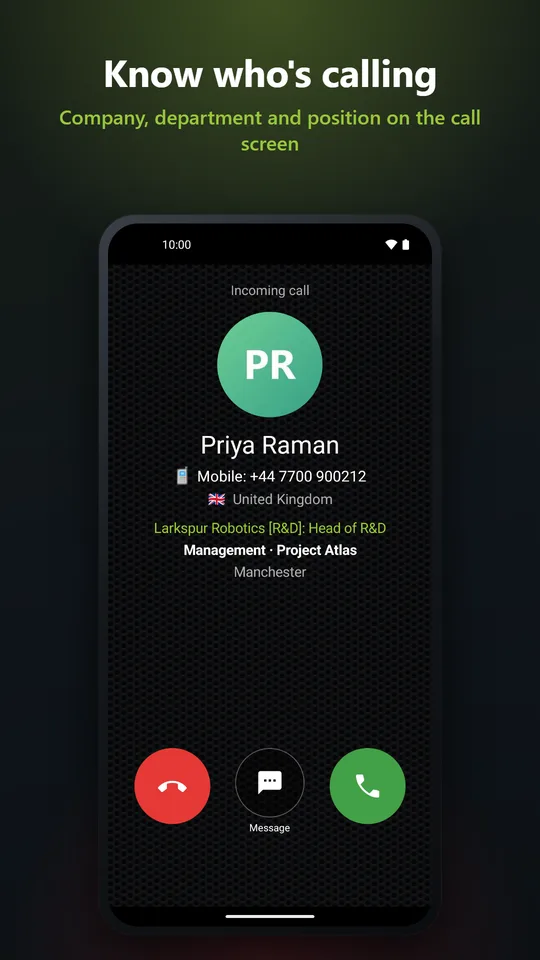
- Its own call screen. Set Corporate Dialer as the phone app, and incoming calls show the caller’s company, department, position and groups. Can’t talk? Decline with a text message.
- The whole call history. Android deletes old calls; Corporate Dialer keeps its own copy, so you can still find who called you months ago.
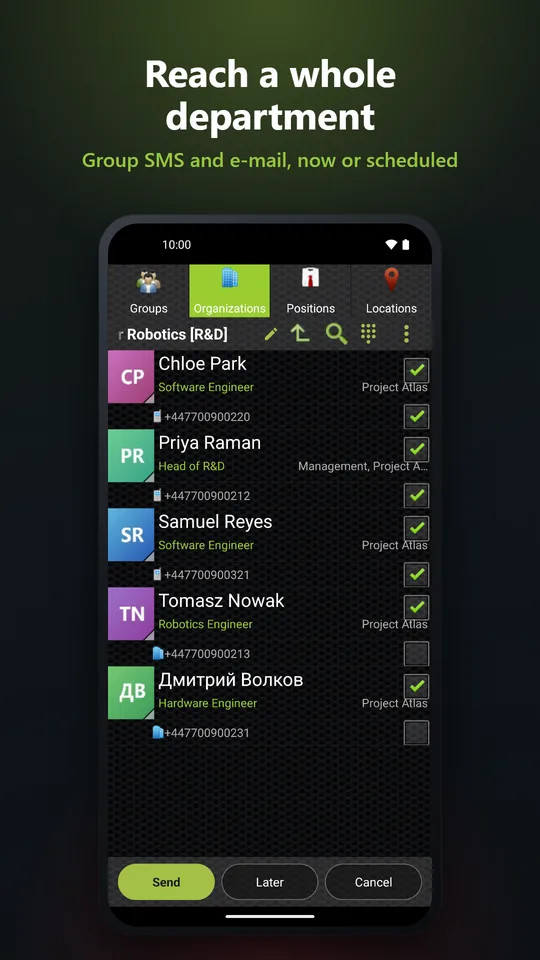
- Corporate Contacts built in. Browse your contacts by company, department, position and location, combine the filters, and rename a company or a department once for every contact.
- Reach the whole team. Text or e-mail a department or a group in one tap, each message with the recipient’s name if you like, now or scheduled for later.
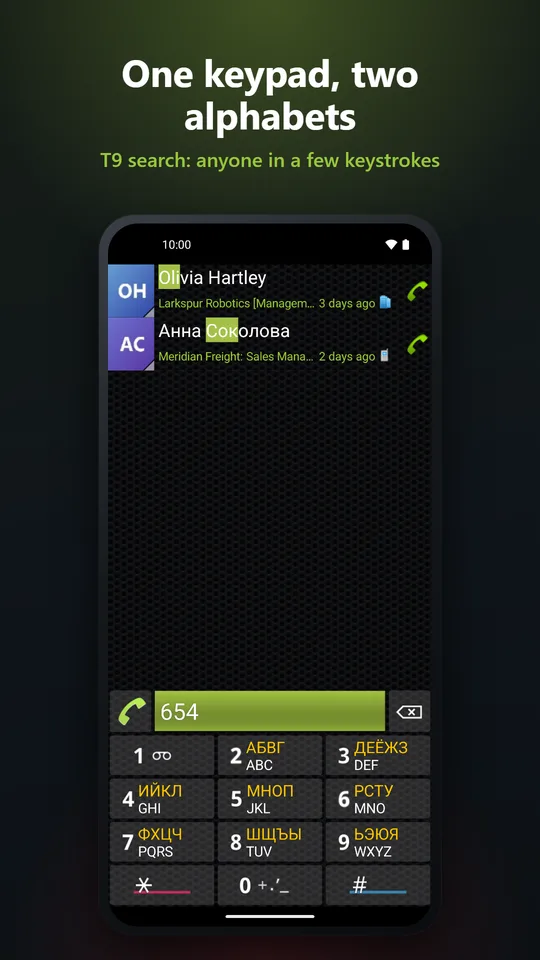
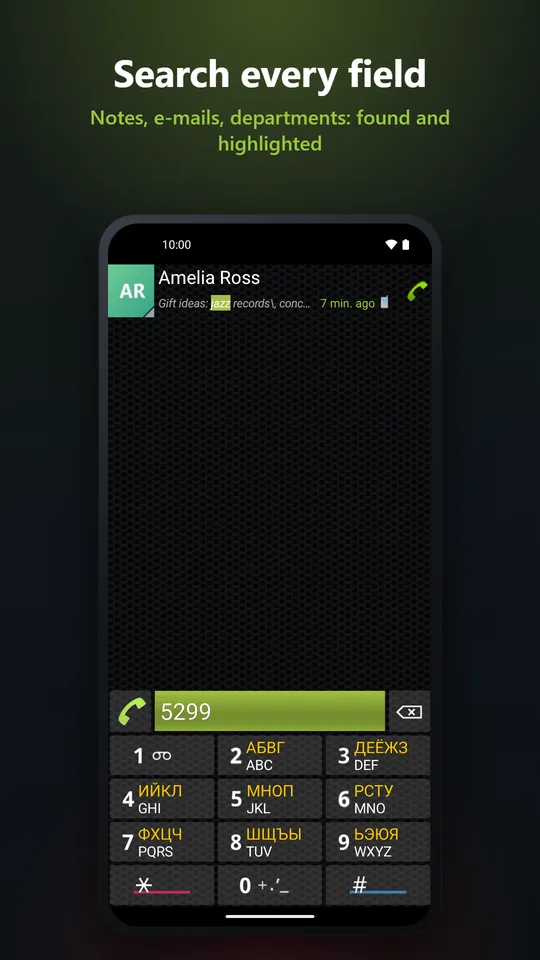
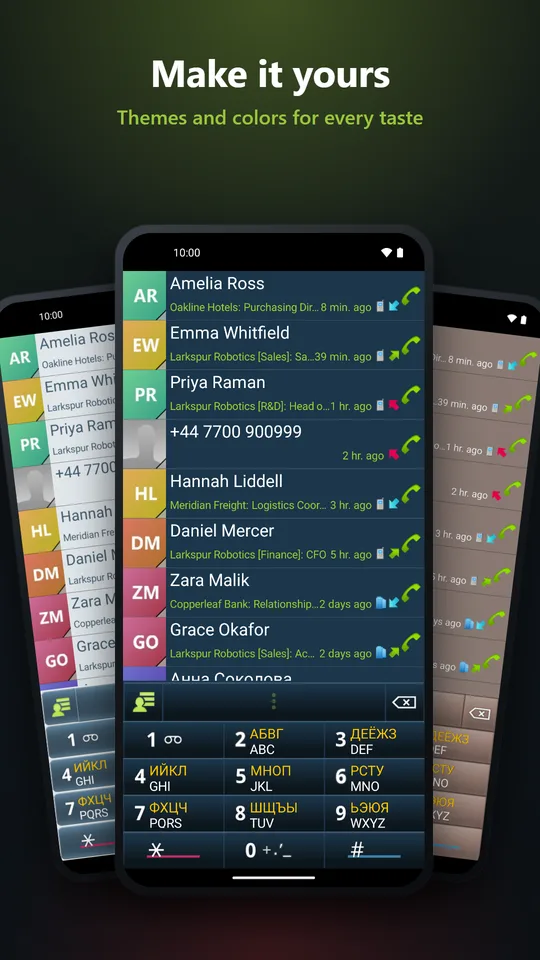
- Search everything. The T9 search you know, with two alphabets on one keypad (Latin plus one of 20 more), and a search through all the fields: company, position, e-mail, notes.
- In 31 languages, with new themes and your own colours.
Where to get it
- Google Play: free, with an optional one-time Pro upgrade. You can try Pro free for 14 days. Google doesn’t allow this version to show your SMS messages in the call log or to send group messages itself, so these go through your SMS app. This is a limitation of the app on Google Play, due to the store policies.
- The full version on eir3.com: coming soon.
- Huawei AppGallery and Samsung Galaxy Store: coming soon.
To the users of Fast Dialer
Thank you for staying with Fast Dialer all these years; many of the new features started as your requests. Corporate Dialer is a new app, so it installs next to Fast Dialer: try it, and remove the old one when you’re ready. Your contacts are not affected; they are Android’s own contacts, which both apps read.
Questions, ideas, a word missing in your language? Write a comment or an email.

Download it on Google Play for free:

https://play.google.com/store/apps/details?id=eir.dialer.corporate